SMS Alerts & Opt-In Disclosure
How members consent to and manage SMS text alerts on Logical Patterns.
Program identity
- Business
- Logical Patterns
- Website
- logicalpatterns.app
- SMS sender
- +1 (833) 302-8116
- Program type
- Account Notifications (alert rules)
- Opt-in collected
- Web form, per-rule, double-affirmative
- Consent text version
- 2026.05.19.1
The literal on-screen consent text members must agree to
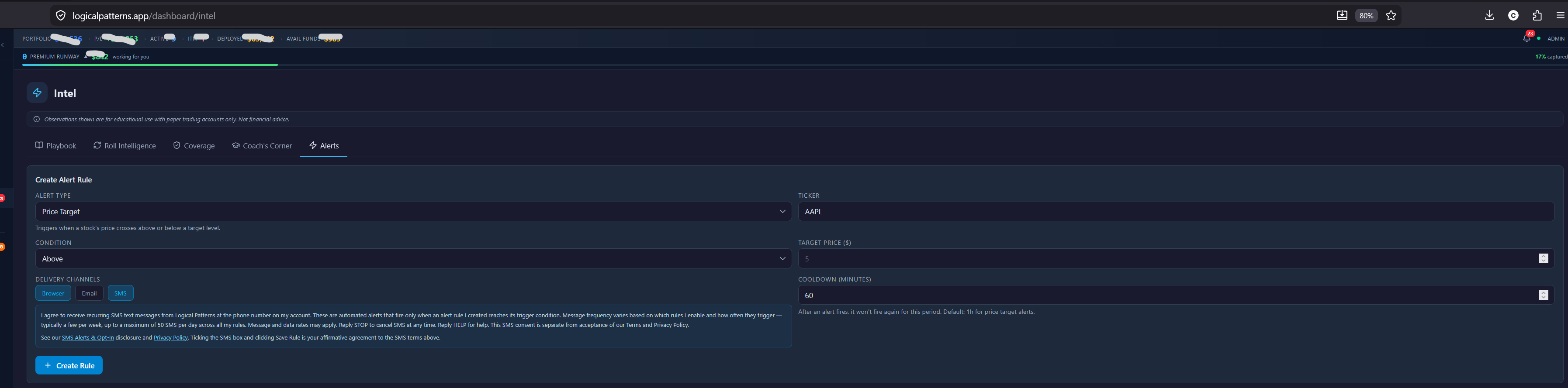
Shown directly on-screen next to the per-rule SMS checkbox. Members must read this disclosure and then click Save Rule with the SMS box ticked to authorize SMS text messages. The exact text below is rendered identically in-app and on this page (single source of truth, server-persisted per rule, version-tagged).
“I agree to receive recurring SMS text messages from Logical Patterns at the phone number on my account. These are automated alerts that fire only when an alert rule I created reaches its trigger condition. Message frequency varies based on which rules I enable and how often they trigger — typically a few per week, up to a maximum of 50 SMS per day across all my rules. Message and data rates may apply. Reply STOP to cancel SMS at any time. Reply HELP for help. This SMS consent is separate from acceptance of our Terms and Privacy Policy.”
What Logical Patterns is
Logical Patterns is a paid, subscription-based educational dashboard for market pattern observation. Members subscribe at one of three tiers and use the dashboard to monitor watchlists, review historical pattern observations, and configure custom alert rules.
How members opt in to SMS text alerts
SMS text alerts are delivered only to members who have completed all three of the following actions inside their authenticated dashboard:
- Subscribed to a paid tier ($100/month or higher).
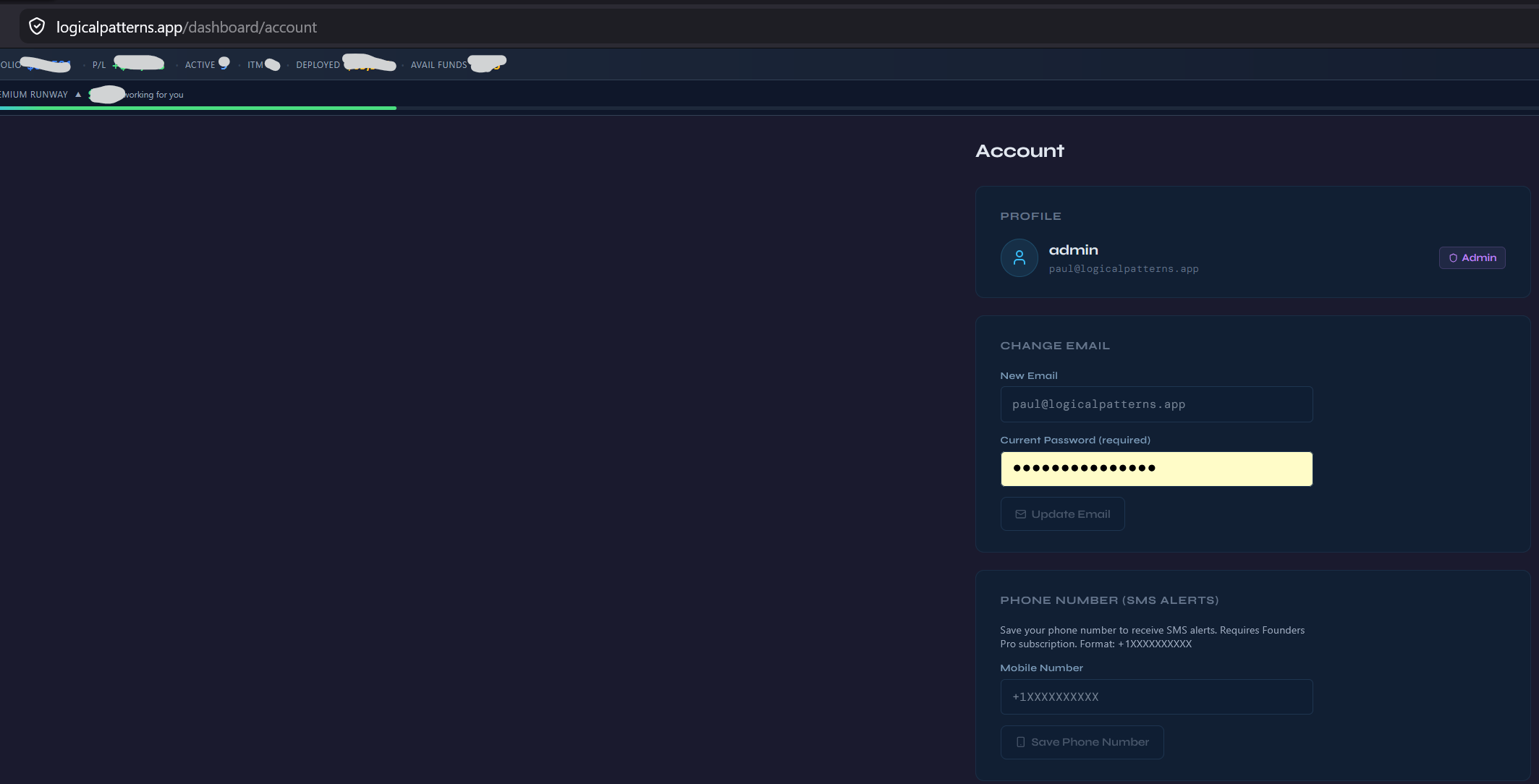
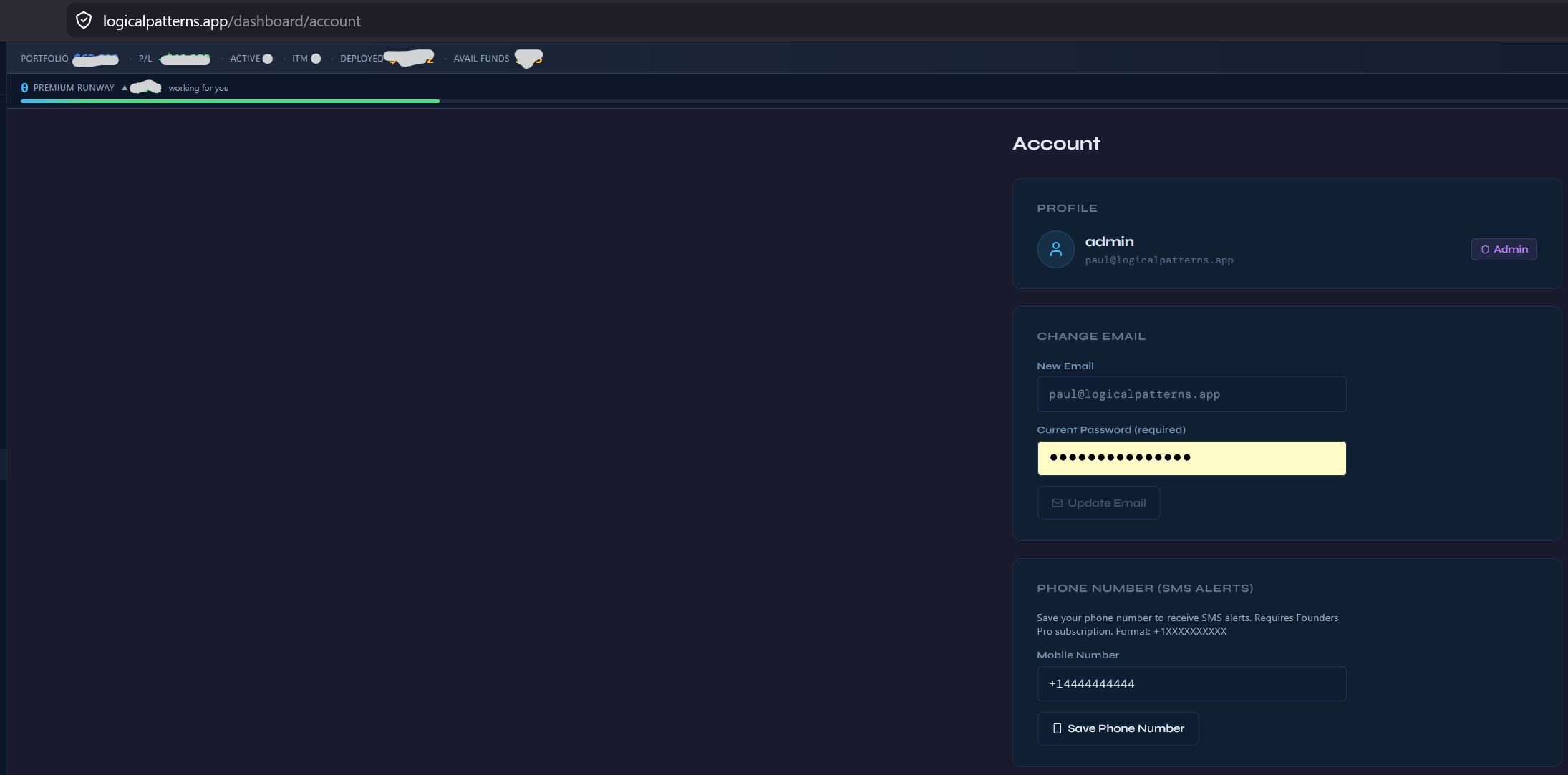
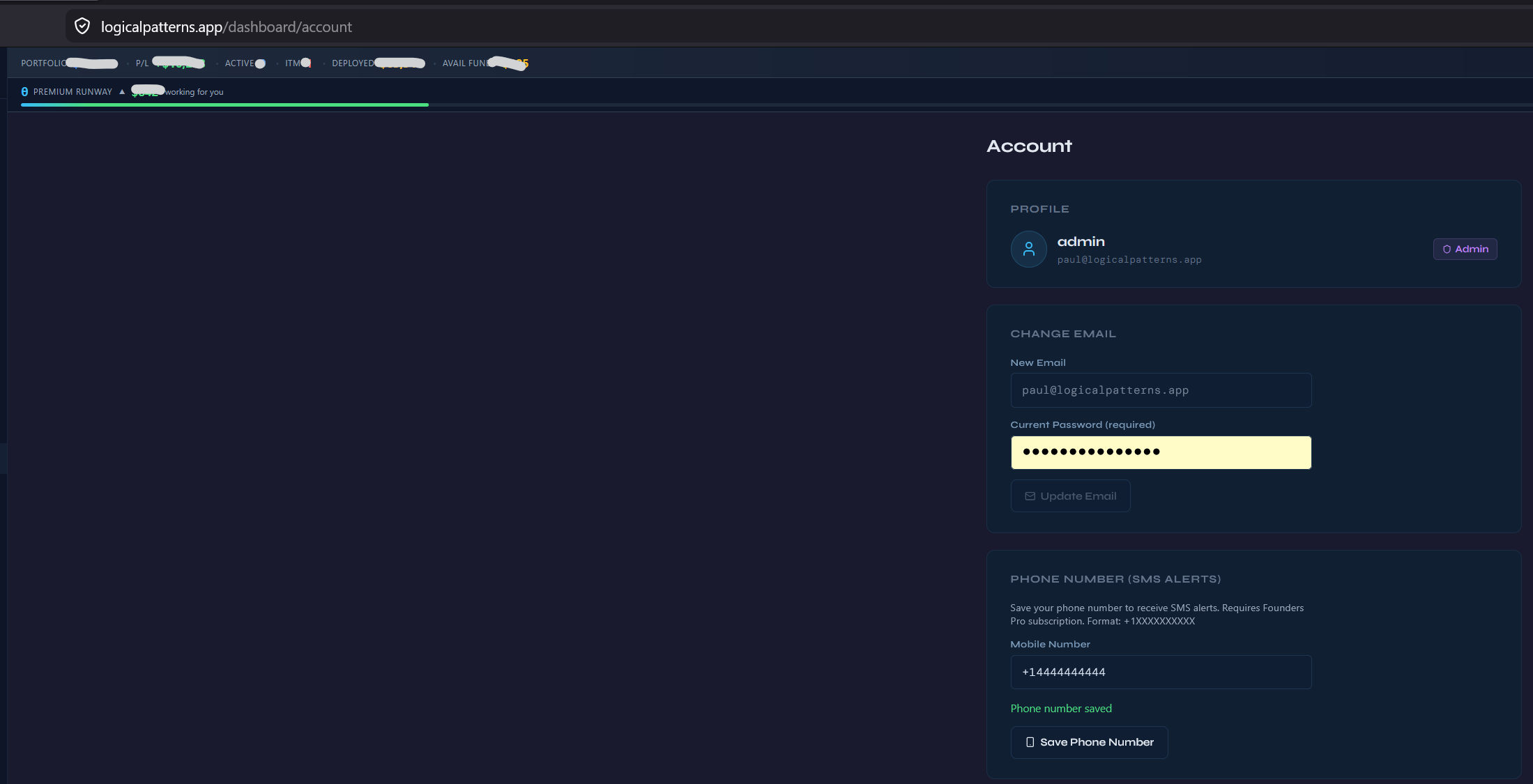
- Entered a phone number in Account → Phone Number and clicked Save.
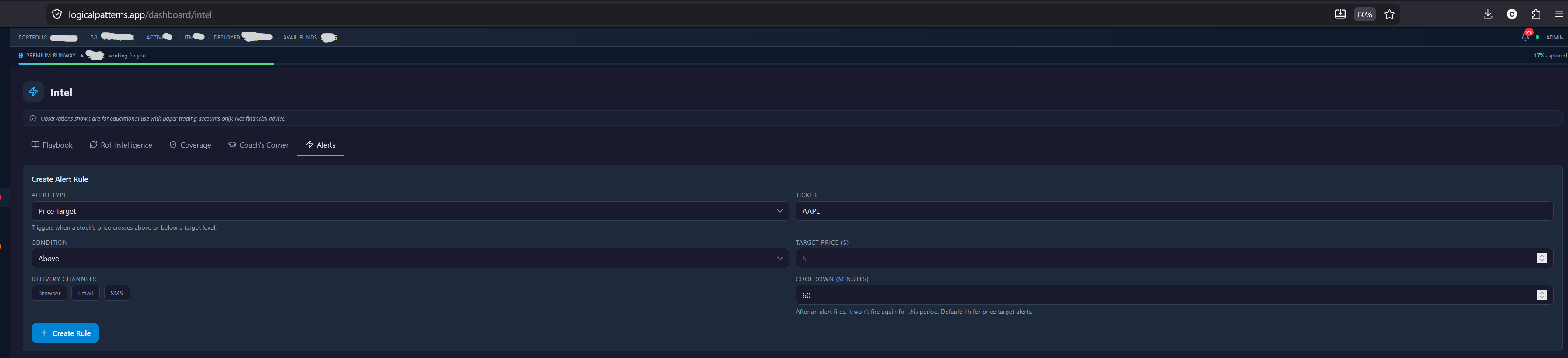
- Created an alert rule in Intel → Alerts → Create Rule and explicitly ticked the “SMS” channel checkbox on that rule.
Each alert rule’s SMS delivery is independent. A member can have ten rules and choose SMS for only one of them — the other nine will never send SMS text messages.
Accepting Terms or Privacy is required to use the dashboard, but it does NOT enroll the member in SMS text messages. Ticking the per-rule SMS checkbox in step 5 below is the only action that authorizes Logical Patterns to send SMS text messages.
SMS consent applies only to the specific rule the member enabled it on. Disabling that rule, unticking the SMS checkbox, replying STOP to any text, or removing the phone number from Account immediately stops all SMS text messages within that scope.
How opt-in is collected — step by step
The screenshots below show every step of the SMS opt-in workflow as a member experiences it inside the authenticated dashboard.
Step 1 — Account page, no phone on file
Step 2 — Member enters their phone number
Step 3 — Member clicks Save
Step 4 — Creating an alert rule (SMS unchecked by default)
Step 5 — On-screen consent disclosure appears, then member saves
After save — how SMS text messages actually fire
Saving the rule with the SMS channel ticked records the member’s consent for that specific rule. No confirmation or welcome SMS is sent at the moment of save. From then on, the rule sits idle in the background and an SMS text message is only ever sent when that exact rule’s threshold is reached (e.g. price crosses a configured target, RSI dips below a configured value). Each rule carries a per-rule cooldown to prevent repeated firing on the same condition.
Replying STOP to any SMS text message we send is honored at the carrier level — all future SMS text messages to that number are blocked immediately and permanently, regardless of how many rules the member has SMS enabled on.
Sample SMS text messages
Logical Patterns: AAPL is at $272.51 (your "AAPL above $270" rule). Reply STOP to opt out, HELP for help.

Logical Patterns: TSLA RSI is 28.4 (your "TSLA RSI under 30" rule). Reply STOP to opt out, HELP for help.

Logical Patterns: NVDA pattern observation triggered on your watchlist (your "NVDA watchlist patterns" rule). Reply STOP to opt out, HELP for help.
How to opt out
- Reply STOP to any SMS text message we send. Carrier-level STOP is honored immediately and permanently for that number.
- Or sign in and remove the SMS channel from any individual rule (Intel → Alerts → edit rule).
- Or sign in and remove the phone number from your Account page to disable SMS for all rules at once.
Help & support
Reply HELP to any SMS text message, or email paul@logicalpatterns.app. Message frequency varies by the rules you create. Message and data rates may apply.
Privacy
Phone numbers are used solely to deliver SMS text alerts you explicitly configured. We do not sell, share, or use phone numbers for any other purpose, and they are never shared with third parties other than the SMS gateway required to deliver your alert.